The application
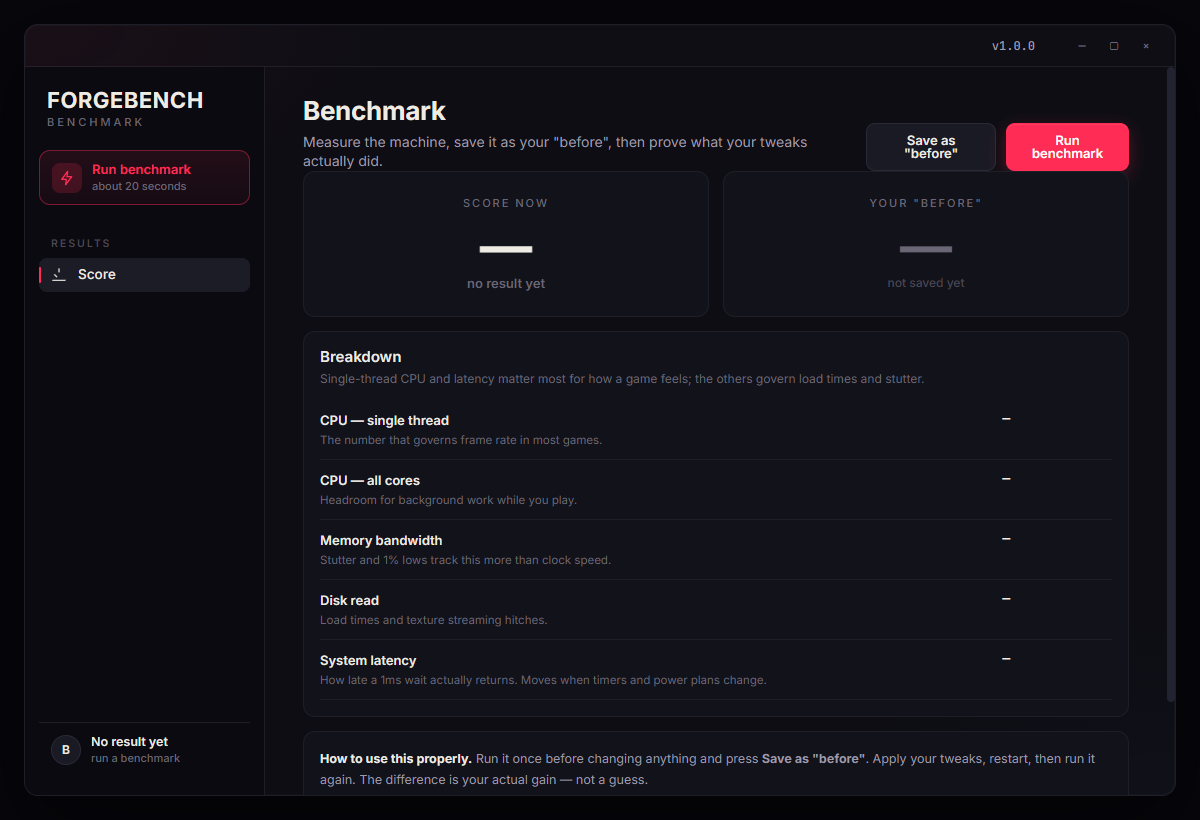
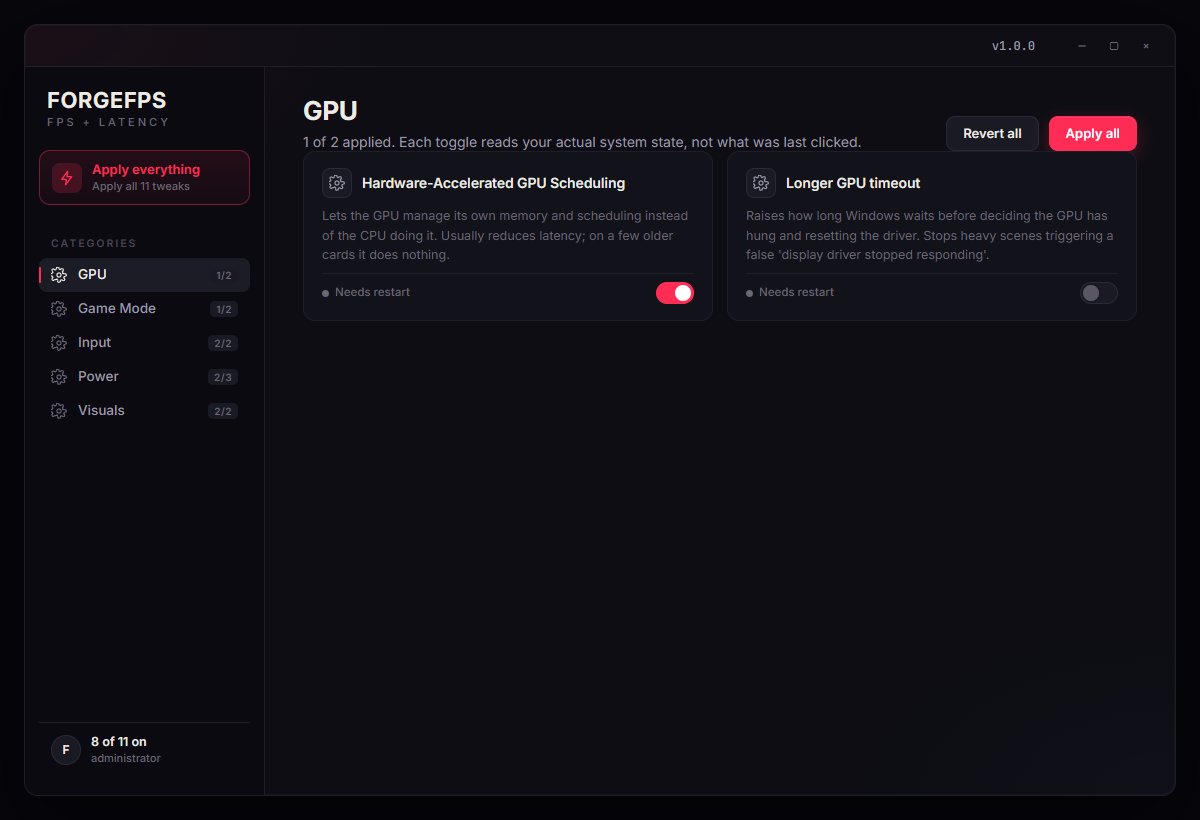
It shows you every change.
All 227 of them.
Not a black box with a big red OPTIMISE button. Every tweak is listed and explained, and each one can be switched on or off and undone on its own.
Higher 1% lows
Stutter isn't a low average. It's the floor collapsing the moment a fight starts, and that's what we go after first.
Lower input latency
Shorter frame queues, no acceleration you never asked for, and a display pipeline that stops holding frames back.
Nothing you can't undo
Every value is read before it's written. Revert puts yours back, not a default someone guessed at.
Pricing
Pay monthly.
Or once, and keep it for life.
Free
Measure your machine and see where it actually stands.
$0
no card, no account
- Full benchmark: CPU, memory, disk, latency
- Your before, saved locally
- Eight safe tweaks, fully reversible
- The full tuning pass
- Access to all profiles
- Support
Standard
The whole tuning pass, with the before and after to prove it.
$9
USD · yours for life
- Everything in Free
- Every change in the table above
- Before / after report
- One-click full revert
- Free updates forever
- Access to all profiles
- Most bought
Premium
Adds per-game tuning and a person who answers.
$16
USD · yours for life
- Everything in Standard
- Access to all profiles
- Config-file locks so games stop undoing your settings
- Priority support from a human
- Access to everything
- Early access
FrameForge
Frame generation for the games that never shipped with it.
$12
USD · yours for life
- Doubles the frame rate in FiveM and GTA V
- Hardware optical flow on NVIDIA, software fallback elsewhere
- Output pacing: even delivery, not just a doubled counter
- Ctrl+Alt+G toggle, on and off mid-game
- Never lowers your native frame rate
- Anything in Forge Tweaks
- New
Forge Latency
Find out where your input delay actually goes.
$10
USD · yours for life
- Kernel driver stalls, named: which driver, how long, how often
- Your mouse's real report rate, or an honest 'not measured'
- Frame pacing and render queue via Intel PresentMon
- Twelve input-path fixes, each one reversible
- Included free with Forge Tweaks Premium
- The other 215 tweaks
- Per-game profiles
All prices in USD with tax included, so the price you see is the price you pay. Licensed per PC: change your GPU, CPU or drives and it keeps working, and we'll reissue free after a Windows reinstall. Cancel a monthly plan whenever you like; a lifetime purchase never expires. Refunds are 72 hours on Forge Tweaks, and 4 days on FrameForge while it's in early access.
FrameForge
Double the frames.
From the game you already own.
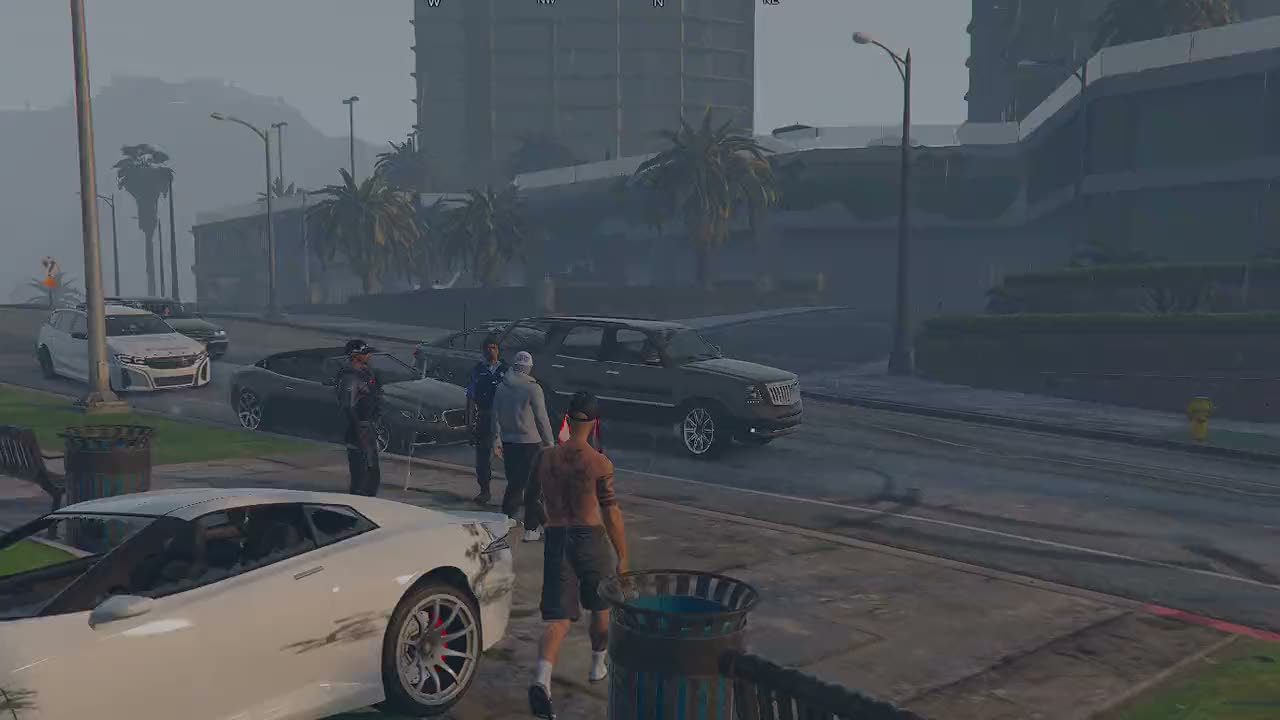
FiveM and GTA V are DX11. There's no DLSS-G or FSR3 path for either, so they get no frame generation at all. That gap is what FrameForge fills. Drag the divider: same clip, same moment, left half getting half the frames.
Native
0fps
FrameForge
0fps
Drag the divider
Native
Forged
Frames delivered · last second
FiveM · 120 fps source
FrameForge sits between your game and your screen, measures how every part of the picture moved between the last two frames it drew, and builds the frame that belongs in between them. It then holds that frame until the moment it is due, so the extra frames arrive evenly instead of in pairs. That is the difference between a doubled counter and motion that actually feels doubled.
- 01
Read the two real frames
The frame the game just drew, and the one before it. Nothing is guessed about what the game is doing. Both inputs are finished frames.
- 02
Work out what moved
Optical flow measures where every part of the image travelled between those two frames. On NVIDIA that runs on the dedicated optical-flow hardware.
- 03
Build the frame in between
Each pixel is carried half-way along the motion it was found to have, forwards from one frame and backwards from the other, then blended.
- 04
Pace the output
The extra frame is held until the moment it belongs, rather than shown the instant it is ready. This is the difference between a doubled counter and motion that actually feels doubled.
Measured
- Interpolation cost per frame
- 1.55 ms
- Hardware optical flow. The software path costs 9.6 ms and is used when there is no NVOFA.
- Headroom at that cost
- ~646 fps
- What the interpolation stage alone could sustain, before the game's own frame time.
- Effect on native frame rate
- None
- The hard constraint the whole design is held to: generated frames must never cost real ones.
Measured on the development machine (Ryzen 5 5600X, RTX 4060, 1080p) using the build's own timing harness.
Forge Tweaks · what gets measured
Milliseconds matter.
So we measure yours, not ours.
Every tuning tool shows you a percentage from someone else's PC. It tells you nothing: the gain depends entirely on how much was wrong on yours to begin with. So Forge benchmarks your machine before it changes anything, again afterwards, and shows you both. The free tier does that much before you spend a cent.
1% lows
The number you feel. Stutter is the floor collapsing mid-fight, not a low average.
Input latency
Click to photon. The gap between doing something and seeing it happen.
Average FPS
The headline figure. Included because you'll look for it, and it moves least.
Three runs each, before and after, median reported, on your machine
The process
How does it work?
Three steps, nine minutes.
Nothing runs unasked, and you see the change before you approve it.
- 01About 2 minutes
Measure
- You
- Run the benchmark. No account, no sign-up.
- Forge
- We record CPU, memory, disk and latency, and save it as your before.
- 02About 5 minutes
Tune
- You
- Review the list of changes and approve it. Nothing runs unasked.
- Forge
- Each change is applied, then read back to confirm it took. Restart point created first.
- 03About 2 minutes
Prove
- You
- Restart, run the benchmark again, compare.
- Forge
- Both numbers shown side by side. If a change did nothing, we say so.
Full disclosure
Exactly what we change.
Published before you buy.
A page selling PC optimisation that won't tell you what it does to your machine until after payment has already answered your question.
GPU scheduling
Shortens the queue between your click and the frame that shows it.
To undo: Single registry value, restored exactly as found.
Power plan
Stops the CPU dropping clocks in the half-second a fight starts.
To undo: Original scheme reactivated; your old plan is never deleted.
Network stack
Cuts the delay between your input reaching the server and the reply.
To undo: Every value snapshotted before the change and written back on revert.
Background services
Reclaims CPU time and disk I/O that spikes exactly when you're loading in.
To undo: Start type restored to its original value, not to a guessed default.
Visual effects
Frees a small amount of GPU time and makes the desktop feel instant.
To undo: Restored with one click.
Storage
Recovers space and stops stale caches slowing load times.
To undo: Nothing to undo. This only deletes files Windows regenerates.
What we never touch
- Windows Update. You keep getting security patches.
- Windows Defender. Never disabled, never excluded.
- Drivers. We don't install them, replace them or 'optimise' them.
- The kernel. No drivers of our own, nothing running at ring-0.
- Your files. Nothing outside Windows settings is touched.
- Anti-cheat. Nothing we change hooks it or hides from it.
Safety
Safe, reversible,
and yours.
Four things that are true of this and are not true of most of what gets sold in this category.
No remote access, ever
We never connect to your machine. There's no TeamViewer link, no AnyDesk code, no screen share. Everything runs locally and works offline.
No kernel drivers
Nothing we install runs at ring-0. That's the layer anti-cheat cares about, and it's the layer we deliberately stay out of.
Every change snapshotted
Before a value is written, the original is read and stored. Revert puts your value back, not a default someone guessed at.
Restore point first
A Windows restore point is created before the first change of every session, so there's a floor underneath everything.
Guarantee
If it doesn't work on your PC, you don't pay for it
Forge Tweaks benchmarks your machine before and after, so you'll know inside an hour whether it did anything. If it didn't run, or it didn't move your numbers, email us within 72 hours and we'll refund you. FrameForge is early access and gets 4 days. All we ask is that you tell us what went wrong, because right now that's worth more to us than the sale.
Read the termsSupport
Frequently asked
questions.
Will this get me banned by anti-cheat?
No. Anti-cheat looks for three things: reading game memory, injecting into a game process, and kernel drivers. We do none of them. Every change is a Windows setting: registry values, service start types, power plan entries, network stack parameters. Vanguard, EAC, BattlEye and FACEIT are all indifferent to those. If you want to check, the full list of changes is on this page before you buy, not hidden behind a purchase.
Is this a scam?
Fair question. Most things in this category are. The difference is that we measure your machine before and after and show you both numbers, so you don't have to take a claim on faith. If the number didn't move, the report says it didn't move, and you have 72 hours to ask for your money back. We also publish exactly what gets changed, which is the one thing a scam can never afford to do.
Will it break my PC?
It shouldn't, and there are three layers underneath you if something goes wrong. A Windows restore point is created before the first change. Every value is read and stored before it's overwritten, so revert restores your original rather than a guessed default. And nothing we touch sits outside Windows' own settings: no drivers, no firmware, none of your files.
Can I undo it?
Yes, all of it, with one button. This matters more than it sounds: a lot of 'optimiser' tools apply changes they can't reverse, because they never recorded what was there before. We save every value before writing over it. Two things are one-way by nature, and both are flagged at the time: deleted temp files, and a Windows restore point you've since removed yourself.
Do you need remote access to my machine?
Never. There's no TeamViewer session, no AnyDesk code, no screen share, and no account. Everything runs locally on your PC and works with the network unplugged. If anyone selling PC optimisation asks for remote access, that alone is a reason to walk away.
How much FPS will I actually gain?
Honestly: it depends entirely on how much was wrong to begin with. A freshly installed Windows on good hardware might move 5%. A four-year-old system with a dozen startup apps, recording overlays and a balanced power plan can move 30–40% on 1% lows. The benchmark tells you which one you are before you spend anything, and the average gain is far smaller than the headline gain.
Does it work on my hardware?
If you're running Windows 10 or 11 on an Intel or AMD CPU with an NVIDIA, AMD or Intel GPU, yes. Some changes are vendor-specific and get skipped automatically on hardware they don't apply to. The report tells you which ones were skipped and why, rather than pretending it applied them.
Why not just use a free script from YouTube?
You can, and some of them are fine. The problems are that they rarely measure anything, they usually can't be undone, and a fair few disable Windows Update or Defender to make a benchmark look better. That's a genuinely bad trade, and nobody tells you you're making it. What you're paying for here is the measurement and the revert, not secret knowledge.
Do I need to keep it installed?
No. The changes are made to Windows itself, so they stick whether the app is running or not. Keep it if you want the revert switch and the benchmark to hand. Plenty of people run it once and uninstall.
Still have questions?
Email a human ↗Measure it. Then decide.
The benchmark is free and takes two minutes. If your machine is already fine, it will tell you that.